For over 20 years, cPanel has been the default control panel for web hosting. But in 2026, default doesn’t always mean best.
Rising licensing costs and aging architecture have pushed many developers and agencies to look for modern server management tools that offer better performance and more streamlined workflows.
To help you navigate the options, we’ve analyzed 8 modern alternatives to cPanel based on performance, usability, cost efficiency, and scalability.
TL;DR: Which Alternative is Right for You?
Contents
- 1 TL;DR: Which Alternative is Right for You?
- 2 How We Ranked These Alternatives
- 3 Top cPanel Alternatives to Manage Servers
- 4 Final Thoughts: Why You Should Use RunCloud
- 5 Frequently Asked Questions About cPanel Alternatives
- 5.1 What are the best free and open-source alternatives to cPanel?
- 5.2 Can I host a website without using cPanel?
- 5.3 What are the benefits of using RunCloud over traditional control panels?
- 5.4 Is RunCloud a good alternative to cPanel for beginners?
- 5.5 How easy is it to migrate from cPanel to an alternative like RunCloud?
- 5.6 Can I migrate my WordPress site from cPanel to RunCloud?
- 5.7 Does RunCloud support both NGINX and Apache server stacks?
- 5.8 Why is cPanel often slower compared to modern alternatives?
- 5.9 Can cPanel be hacked if not properly configured?
- 5.10 Does RunCloud include automated backup options?
- 5.11 Is RunCloud more affordable than cPanel?
- 5.12 Which is the best cPanel alternative for WordPress hosting?
- 5.13 Does RunCloud support hosting non-WordPress applications?
- 5.14 Does RunCloud offer customer support if I run into issues?
- 5.15 Can RunCloud scale with my business as I grow?
If you don’t have time to review every tool on this list, here is the cheat sheet based on your specific goals:
- Best Overall for Developers & Agencies: RunCloud.
- It strikes the perfect balance between ease of use and raw power. Ideal if you manage multiple servers and want enterprise-grade performance (NGINX/OpenLiteSpeed) without the bloat of traditional panels.
- Best for Shared Hosting Resellers: Plesk.
- If your business model relies on selling non-technical hosting accounts with built-in email and a traditional GUI, Plesk is the closest direct clone to cPanel.
- Best for WordPress-Only Hosting: SpinupWP.
- A solid, streamlined choice if you only ever host WordPress sites and don’t need to support other frameworks like Laravel or custom PHP apps.
- Best Free Open-Source Solution: Virtualmin.
- If you have zero budget and are comfortable with the Linux command line, this offers the most control without a monthly fee.
How We Ranked These Alternatives
We didn’t just pick names out of a hat. We evaluated these 8 tools based on the four criteria that matter most to modern server administrators in 2026:
- Performance Stack: Does the panel support modern technologies such as NGINX FastCGI, Redis, and Memcached out of the box? (Legacy cPanel setups often lag here.)
- Usability vs. Control: Can you perform complex tasks (like managing Cron jobs, firewall rules, or SSL deployment) without needing to open a command line?
- Cost Efficiency at Scale: Does the pricing punish you for growing? We favored tools that charge per server rather than per “account.”
- Multi-Server Management: How easy is it to manage 1, 5, or 50 servers from a single dashboard?
📖 Recommended Read: Self-Managed or Managed Hosting
Top cPanel Alternatives to Manage Servers
| cPanel Alternative | Ease of use | Pricing | Best For |
|---|---|---|---|
| RunCloud | Very easy to use | From $9/month | Developers, agencies, managed WordPress hosting |
| ApisCP | Relatively straightforward | From $2.50/month | Hosting resellers and power users |
| SpinupWP | Easy to use | From $12/month | WordPress-only users |
| ServerPilot | Straightforward | From $5/server + $0.50/app/month | Basic PHP hosting |
| Virtualmin | Easy to use | Free or $7.50/month (Pro) | Linux-savvy admins |
| Ajenti | Needs technical knowledge | Free | Experimental users |
| Froxlor | Easy to use | Free | Minimalist control panel fans |
| Plesk | Easy | From $14.20/month | Shared Windows/Linux hosting |
There are many good server management solutions available in 2026. In this section, we will review and analyze our 8 top picks:
1. RunCloud
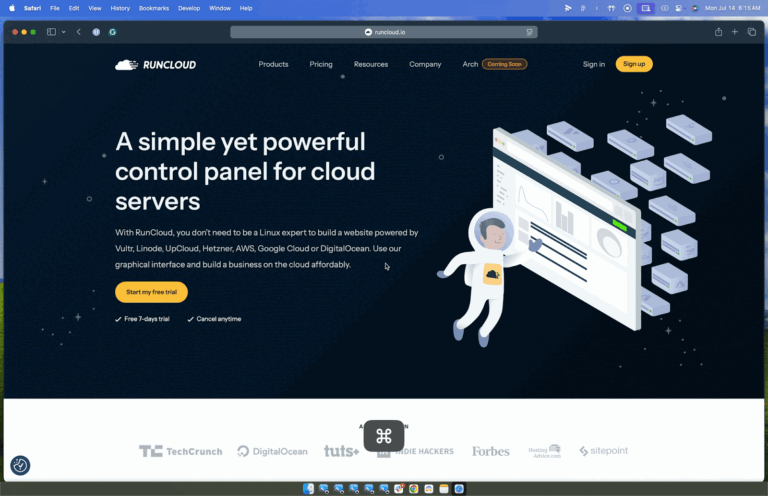
RunCloud is a powerful and developer-focused alternative to cPanel, built from the ground up to support modern web application workflows. It’s a cloud-based server management panel that gives you full control over your infrastructure without the complexity and bloat of legacy solutions.
Whether you’re hosting a personal project or managing dozens of client sites, RunCloud gives you a clean, reliable, and efficient way to deploy and maintain websites on any cloud provider or VPS.
Unlike cPanel, which was built in a different era and retrofitted over time, RunCloud is engineered for developers, startups, and agencies who care about performance, flexibility, and ease of use. It integrates seamlessly with multiple cloud providers, including DigitalOcean, Vultr, Linode, AWS, and Hetzner, and supports both x86 and ARM architectures.

📖 Recommended Read: VPS Server Security Tips
Core Features and Advantages
- One-Click Application Installation: RunCloud lets you deploy essential applications like phpMyAdmin and WordPress with a single click.
- Comprehensive Resource Monitoring: You can use it to monitor server performance metrics directly from the RunCloud dashboard. This allows you to track CPU usage, memory consumption, and disk space without installing additional tools.
- Automated Backup System: RunCloud protects your valuable data with scheduled automated backups that can be configured to store critical files and databases locally or in remote storage solutions of your choice.
- Flexible Server Stack Options: When you use RunCloud, you can choose between multiple NGINX and Apache server configurations (on x86 and ARM servers) to find the perfect balance of performance and compatibility for your specific applications.
- Advanced Caching Solutions: Boost website performance with support for multiple caching technologies, including NGINX full-page caching, Redis object caching, and LS Cache for lightning-fast content delivery.
- Streamlined Development Workflow: RunCloud lets you deploy applications directly from Git repositories, create one-click WordPress staging environments, and manage DNS records automatically to accelerate your development cycle.
Why Developers Choose RunCloud Over cPanel
- RunCloud provides full control of your server (no abstraction or black-box configurations).
- RunCloud has a clean, fast, and purpose-built UI for developers.
- RunCloud works across all major cloud platforms, with simple onboarding for each.
- Backups, staging, caching, and automation tools are included in RunCloud from day one.
RunCloud is designed as a focused productivity platform for developers and agencies who want greater control over their infrastructure and deployment workflows.
Who is RunCloud NOT for?
To be transparent, RunCloud is not designed to be a “shared hosting” panel for selling $5/month hosting accounts to beginners. Unlike cPanel, we do not bundle email hosting directly on your web server.
Why? Because hosting email on the same server as your high-performance web application kills speed and often leads to poor email deliverability (spam folder issues). We believe in the modern approach: use RunCloud for blazing-fast site hosting, and specialized services (like Google Workspace or Zoho) for professional email.
📖 Recommended Read: Website Backups
Pricing
RunCloud offers straightforward, flat-rate pricing that scales with your needs. You won’t find hidden fees or pay-per-site charges here. There are no per-app costs, and all plans include full access to the platform’s core features:
- Essentials ($9/month): Provides foundational infrastructure, including 1 server, unlimited web applications, backups (2GB free storage, unlimited external to S3/SFTP), domain management, 1-click SSL, Git deployment, server-side caching, and 1 staging environment.
- Professional ($19/month): Increases capacity to 50 servers, 10GB of free backup storage (with Dropbox support), 10 staging environments, and adds features such as application cloning, custom NGINX configurations, and a 6G/7G firewall.
- Business ($49/month – Best Value): Aimed at teams with mission-critical workloads, enhancing Professional with 100 servers, 30GB free backup storage, atomic (zero-downtime) deployment, advanced SSL, advanced user management (10 seats), Cloudflare DNS, unlimited staging, support for all external backup providers, a ModSecurity WAF, and API access (120 req/min, 10k/month).
- Enterprise ($399/month): Caters to large businesses that need scale, SLA, or compliance, expanding on Business with 500 servers, 100GB of free backup storage, 50 team seats, and significantly higher API limits (300 req/min, 400k/month).
2. ApisCP
ApisCP is an open-source hosting control panel built with PHP, Ruby, Node.js, Python, and Go, tailored for managing web applications. It’s engineered to provide a high degree of automation and includes built-in self-maintenance features. The goal is to offer server administrators and hosting providers a “set-it-and-forget-it” experience.
While this hands-off approach may appeal to some, it also assumes that automation alone can handle all edge cases, a gamble that may not be ideal in production environments.
ApisCP includes a robust set of automated features, including one-click SSL certificate deployment and renewal via Let’s Encrypt, automatic updates for common web applications such as WordPress, Joomla, and Drupal, and mechanisms for securely isolating individual websites. These are particularly useful for hosting providers managing many WordPress installs. There are also proactive security measures, such as real-time threat blocking and automated remediation of system misconfigurations.
That said, the learning curve with ApisCP is noticeably steeper, and its ecosystem is more niche. While technically robust, its interface and workflow may be less intuitive for developers looking for immediate usability and broad community familiarity. Compared to more user-friendly platforms like RunCloud, ApisCP often appeals to power users who prefer tinkering with and managing every layer of the server stack manually.

📖 Recommended Read: Host Multiple Websites on One Server
Pricing
ApisCP offers licensing primarily on a per-server basis and allows users to host numerous domains and accounts, limited only by the server’s resources. The standard recurring options include:
- Pro License: $20 per month per server. It hosts unlimited domains and accounts, includes panel updates, provides Bronze-level support (one free incident per year), and is transferable.
- Startup License: $50 per year per server. Allows up to 30 domains or accounts, with unlimited subdomains, users, and databases.
- Mini License: $30 per year per server. Supports up to 10 domains or accounts, with the same unlimited subdomains, users, and databases.
ApisCP offers value to those who want to customize their stack deeply and prefer an open-source foundation.
However, for teams that prioritize ease of use, scalability, and out-of-the-box readiness, RunCloud offers a faster path to getting things done without sacrificing flexibility or control.
Who is ApisCP NOT for?
While ApisCP is highly praised for its strict security features and performance-focused architecture, its unique design choices mean it isn’t the right fit for everyone.
- Users heavily invested in the Debian or Ubuntu ecosystems: ApisCP is engineered to work with RHEL-based operating systems and provides a 10-year support lifecycle. However, this support will only last 5 years for Ubuntu-based systems.
- Beginners looking for a purely point-and-click experience: Unlike cPanel, which handles almost everything through a graphical interface, ApisCP heavily relies on its command-line helper (cpcmd), Ansible playbooks (Bootstrapper), and “Scopes” for advanced server management. Users who lack basic Linux system administration skills or feel intimidated by terminal-based configuration will likely find the platform’s learning curve steep.
3. SpinupWP
SpinupWP is a modern, cloud-based server control panel optimized for hosting and managing WordPress websites. Unlike traditional control panels that install extensive software packages directly on the server (such as cPanel or Plesk), SpinupWP connects to servers remotely via SSH to configure and manage servers hosted with providers such as DigitalOcean, AWS, Vultr, Linode, Hetzner, or on-premises hardware.
The SpinupWP platform automates many best practices for WordPress hosting right after site creation. This includes configuring NGINX with recommended caching rules (browser caching, full-page caching, and Redis object caching), obtaining and automatically renewing free Let’s Encrypt SSL certificates, setting up server-side cron jobs essential for WordPress scheduled tasks, and optimizing server configurations to maximize WordPress performance.
In addition, SpinupWP offers integrated backup functionality, allowing scheduled or on-demand backups to various cloud storage providers. Restoration is straightforward, ensuring that sites can be recovered quickly if something goes wrong.

📖 Recommended Read: What is Managed WordPress Hosting
Pricing
- Essentials Plan: Starts at $12 per month for one server. Designed for a single user, it includes daily backups per site, standard email support, and unlimited staging sites.
- Advanced Plan: Starts at $19 per month for one server. This plan offers more flexible backup schedules (up to four daily, weekly, and monthly options), priority email support, multi-user access with permissions management, integrated site monitoring, and a “magic login” feature for WordPress sites.
SpinupWP is a strong choice if your hosting needs are purely WordPress-focused. It removes much of the manual configuration work and makes it easy to deploy fast, well-optimized WordPress sites with best practices preconfigured out of the box.
However, this WordPress-specific optimization also comes with certain limitations. SpinupWP doesn’t cater to broader use cases, such as managing PHP applications beyond WordPress, customizing server stacks, or deploying Node.js apps. If your projects grow beyond WordPress or require flexibility across different frameworks and languages, you may quickly find SpinupWP’s focus too narrow.
RunCloud takes a broader approach. It supports WordPress, Laravel, custom PHP applications, Node.js projects, and other frameworks, enabling developers and agencies to manage diverse workloads from a single platform.
Who is SpinupWP NOT for?
SpinupWP is widely praised for bringing managed hosting speeds to unmanaged cloud servers. However, its highly specialized nature means it isn’t a universal cPanel replacement.
- Users hosting diverse, non-WordPress applications: SpinupWP is explicitly purpose-built for WordPress. If your infrastructure relies on Node.js, Python, or complex non-WordPress frameworks, you will find its focus far too narrow and lacking in broader multi-stack deployment tools.
- Agencies requiring traditional, all-in-one client hosting features: Administrators who need to provide clients with traditional webmail, or who require granular, white-labeled multi-tenant dashboards for reselling, will find the platform overly restrictive.
4. ServerPilot
ServerPilot is built to manage cloud servers, particularly for PHP applications like WordPress. It focuses on offering a lightweight panel that enables users to set up and manage cloud instances without needing extensive server administration knowledge. ServerPilot supports modern protocols such as HTTP/3 and handles multiple PHP versions concurrently using PHP-FPM, which helps optimize server performance by scaling PHP processes automatically based on demand.
One of ServerPilot’s strengths is its straightforward access to server and application logs through the web interface. This eliminates the need for SSH access for basic diagnostic tasks, which is useful for developers or site owners who prefer working within a browser-based dashboard. ServerPilot also automates the deployment and renewal of free Let’s Encrypt SSL certificates and configures servers with modern security protocols, such as TLS 1.3, by default.
While ServerPilot covers the essentials, it has some notable drawbacks. The pricing structure is unnecessarily complicated and can quickly become expensive for users managing multiple websites. ServerPilot charges separately for each connected server and each deployed application. This double-layer billing model means costs can escalate unpredictably as your infrastructure scales, something many users realize only after their projects are established.
Another limitation is that ServerPilot’s feature set is deliberately minimal. It does not include integrated backup management, native Git deployment, server-wide monitoring, or multi-stack options (e.g., NGINX configurations). These are critical tools for modern workflows that developers increasingly expect as standard.
RunCloud uses a simpler pricing model with no per-application charges. Multiple applications can be deployed on the same server without additional fees.

Pricing
- Economy Plan: Starting at $5 per server plus $0.50 per application monthly (billed hourly).
- Business Plan: Starting at $10 per server plus $1 per application monthly (adds log viewing, server resource metrics, and priority support).
- First Class Plan: Starting at $20 per server plus $2 per application monthly (adds detailed MySQL metrics and higher-priority support).
ServerPilot can be a suitable choice for basic PHP website hosting if you only manage a very small number of applications. However, if you want predictable costs, advanced features, and true scalability as your projects grow, RunCloud offers a stronger, more future-proof alternative.
Who is ServerPilot NOT for?
Here is a look at who ServerPilot is NOT for:
- Administrators requiring diverse OS support and non-PHP stacks: ServerPilot is rigidly designed to host PHP and WordPress applications exclusively on Ubuntu cloud servers. If your infrastructure relies on RHEL-based distributions (like AlmaLinux or CentOS) or Debian, you will find this platform entirely incompatible with your needs.
- Agencies hosting a massive volume of small, low-traffic applications: ServerPilot uses a subscription-based pricing model that charges a base monthly fee per server, plus an additional fee for each application (website) deployed. For freelancers or agencies attempting to pack dozens or hundreds of small, low-budget client sites onto a single cloud server, this per-app pricing structure scales poorly. It becomes significantly more expensive than flat-rate or one-time license alternatives.
5. Virtualmin
Virtualmin is a comprehensive web hosting control panel engineered specifically for Linux systems. It is broadly compatible and supports major distributions, including Debian, Ubuntu, and RHEL derivatives such as Rocky Linux and AlmaLinux. For developers and system administrators who prefer a Linux-first, command-line-centered environment, Virtualmin offers a robust foundation.
The platform offers two distinct flavors: a community-supported, open-source, GPL version and a Pro version with additional features and commercial support. This flexibility allows users to choose based on their budget and level of technical expertise.
Both versions of Virtualmin aim to simplify server administration. Users can handle essential tasks such as applying security updates, managing user accounts, deploying web applications, and configuring services like email and databases through a web-based control panel.
Virtualmin also provides robust backup capabilities, supporting cloud storage destinations such as Amazon S3, Google Drive, and Dropbox. Migration tools allow users to transfer websites between servers, and detailed logging and monitoring are available for those who want to examine system metrics. It also includes one-click installers for popular applications like WordPress and phpMyAdmin, and even features a built-in terminal for command-line access via the browser.

Pricing
- Virtualmin GPL: Free, open-source version with community support.
- Virtualmin Professional: $7.50 per month, allowing management of up to 10 domains, with enhanced features and commercial support.
Who is Virtualmin NOT for?
Here are a few reasons why Virtualmin might not be right for you:
- Beginners expecting a modern, streamlined user interface: Users looking for a simple, intuitive, point-and-click dashboard will likely find the massive array of technical menus and steep learning curve overwhelming.
- Administrators wanting a lightweight, minimalist server stack: By default, Virtualmin installs a traditional, heavy shared-hosting suite that includes its own DNS server, mail servers, spam filtering, and database management tools. If you are running a low-resource cloud VPS or only need to host a single optimized web application, this “everything-but-the-kitchen-sink” approach introduces unnecessary resource bloat compared to minimal, web-only panels.
6. Ajenti
Ajenti is a modular web interface platform built on the Python library Ajenti Core. This foundational component provides the essential infrastructure, including an event-loop-based HTTP server, a socket engine supporting WebSockets (with XHR polling as a fallback), and a container system for managing plugins and modular functionality.
Ajenti Panel, the default distribution, bundles a startup script and a collection of standard administrative plugins, such as a file manager, network configuration tools, and service management utilities. This creates a lightweight, ready-to-use control panel experience for users who want to manage basic server functions without relying on heavyweight alternatives like cPanel.
Ajenti’s architecture is highly modular. Virtually any component can be replaced or extended via its Python API, offering developers the flexibility to customize routing, file handling, SSL implementation (including client certificate authentication), and server features through custom plugins. Dependency injection is used throughout the platform to manage services and plugins efficiently.
Ajenti provides its web interface platform at no cost under the permissive MIT license. However, this open-source model also comes with trade-offs. Users should not expect consistent new feature rollouts or access to dedicated support channels. Development velocity can be sporadic, and maintaining Ajenti in production environments may require significant manual effort, particularly when dealing with updates, plugin maintenance, or troubleshooting unexpected issues.

Pricing
- Ajenti: Free and open-source under the MIT License.
Who is Ajenti NOT for?
Here are a few reasons why Ajenti might not be right for you:
- Agencies needing a highly integrated, production-ready shared hosting ecosystem: Its web hosting extensions feel more like basic community projects rather than a fully polished, enterprise-grade control panel for reselling multi-tenant hosting.
- Administrators looking for premium, 24/7 official technical support: Ajenti is a free, open-source tool maintained by a relatively small team of developers, meaning it completely lacks the guaranteed enterprise support nets of commercial panels.
- Beginners who expect a fully automated, point-and-click server setup: While the dashboard is visually modern, Ajenti requires a steeper learning curve and foundational Linux administration skills to configure server components effectively.
📖 Recommended Read: Host Multiple Websites on One Server
7. Froxlor
Froxlor is a lightweight, open-source (GPL) server management panel designed to simplify the administration of hosting platforms. It focuses on providing a straightforward interface for managing domains, databases, email accounts, and server configurations without the heavy resource overhead associated with larger control panels like cPanel.
The latest major release of Froxlor introduced significant improvements to modernize the platform. Notably, the user interface has been revamped to offer a fully responsive, mobile-friendly experience, with both light and dark modes and expanded customization options via Twig templates. These updates make the panel more approachable and flexible, allowing users to tailor the look and feel to their preferences.
Froxlor continues to maintain compatibility with major operating systems, including Debian 12 (Bookworm) and Ubuntu 24.04 (Noble). However, upgrading from older versions can present serious challenges. Unlike commercial solutions that offer migration assistance or automated upgrade paths, Froxlor relies heavily on community support and documentation. Managing upgrades manually can be risky and technically demanding, and in some cases, mistakes during an upgrade can result in significant downtime, potentially affecting all websites hosted on the server.

Pricing
- Froxlor: Free and open-source under the GPL license.
Froxlor’s open-source, no-cost model makes it attractive for technically skilled users managing their own environments on a tight budget. It provides enough functionality for personal servers, development environments, or non-critical projects to get basic hosting tasks done without licensing fees.
Who is Froxlor NOT for?
Froxlor is highly respected as a lightning-fast, highly customizable, and completely free open-source control panel. Its lightweight philosophy means it is not a direct, feature-for-feature drop-in for everyone:
- Beginners seeking a bloated, all-inclusive “point-and-click” ecosystem: Because it is designed to be an ultra-lightweight configuration manager rather than a heavy suite, Froxlor intentionally omits standard quality-of-life features like default graphical file managers, drag-and-drop site builders, or massive 1-click script installers out of the box.
- Enterprises demanding guaranteed, 24/7 commercial technical support: As a 100% free, community-driven open-source project, Froxlor lacks the premium enterprise SLAs and official, hands-on technical support desks provided by commercial giants like cPanel or Plesk.
8. Plesk
Plesk is a WebOps platform that manages user accounts, hosting resources, and service plans. Administrators can use it to create individual accounts, assign specific roles and permissions, and group users under subscriptions tied to pre-defined service plans that govern resource allocations such as disk space and bandwidth.
Plesk includes a range of built-in features for server management, including web and email hosting, DNS management, and SSL installation. However, much of its functionality is modular, so to unlock advanced features you’ll need to install extensions from the extensive Plesk Extension Catalog.
The Extension Catalog includes a wide variety of add-ons for security enhancements, performance tuning, developer tools, and improved WordPress management. While this flexibility might seem advantageous at first, it also introduces complexity. Each plugin often has its own configuration process, changelog, and potential compatibility issues. Keeping all extensions up to date and secure can be a significant administrative burden, especially as the number of deployed sites and services grows.
RunCloud takes a more integrated approach. Features such as backup scheduling, Git deployments, server monitoring, caching, and multi-server management are built into the core platform rather than relying on extensions.

Pricing
- Web Admin Edition: $14.20/month, Supports up to 10 domains and includes WP Toolkit SE.
- Web Pro Edition: $24.74/month, Supports up to 30 domains and includes the full WP Toolkit.
- Web Host Edition: Approximately $61.41/month, offers unlimited domain management and the full WP Toolkit.
Plesk has long been a popular choice among shared hosting providers and businesses that need to manage multiple user accounts under a single server or cluster. It provides powerful administrative tools and a familiar environment for users coming from the traditional web hosting world.
Who is Plesk NOT for?
While Plesk is an industry titan renowned for its extensive multi-OS support (including Windows) and massive extension marketplace, its enterprise-focused and monolithic nature means it isn’t the right fit for everyone:
- Budget-conscious freelancers and small agencies: Plesk has undergone several price increases over the past few years. Users attempting to host just a few personal websites or run a low-margin web design agency will find its expensive, tier-based monthly licensing model drastically cuts into their bottom line compared to flat-rate or open-source alternatives.
- Administrators running low-resource, minimalist cloud servers: Plesk is a massive, all-in-one control panel that installs a heavy suite of default services, databases, and background processes to support its broad, out-of-the-box feature set. Because the panel itself consumes a substantial baseline of CPU and RAM, developers looking to maximize application performance on entry-level, budget-friendly virtual private servers (VPS) will find its architecture heavily bloated.
Final Thoughts: Why You Should Use RunCloud
Throughout this guide, we’ve explored a wide range of alternatives for server and website management. Each platform brings something valuable to the table, from open-source flexibility to WordPress-focused simplicity. But after comparing features, pricing structures, scalability, and real-world usability, one conclusion becomes clear:
For many developers and agencies, RunCloud offers one of the most balanced combinations of usability, performance, and infrastructure control among modern server management platforms.
Unlike traditional control panels designed primarily for shared hosting environments, RunCloud focuses on modern development workflows and cloud-based infrastructure management. It offers full access to your servers without compromise, enabling you to manage, monitor, and scale projects with confidence. Whether you’re deploying WordPress sites, custom PHP applications, Laravel projects, or scaling agency workloads across multiple servers, RunCloud gives you the tools you need, with the efficiency and control you deserve.
Instead of layered licensing models or extension-heavy architectures, RunCloud provides a unified platform that simplifies server management, deployment workflows, and infrastructure monitoring.
If you are exploring alternatives to cPanel, RunCloud is worth considering for your shortlist.
You can start a free trial of RunCloud to see how it fits your workflow and infrastructure needs.
Frequently Asked Questions About cPanel Alternatives
What are the best free and open-source alternatives to cPanel?
There are several open-source alternatives, including Virtualmin, Froxlor, and Ajenti. These options offer core server management features without licensing fees, but typically require more technical expertise. They often lack the polished interfaces, integrated security, and responsive support systems that platforms like RunCloud provide.
Can I host a website without using cPanel?
Yes, you can. Many developers now prefer modern cloud panels such as RunCloud, SpinupWP, or ServerPilot, or even manage servers manually via SSH. Tools like RunCloud offer better performance, lower resource usage, and more streamlined workflows compared to traditional control panels.
What are the benefits of using RunCloud over traditional control panels?
RunCloud was built for modern developers. It offers fast deployments, Git integration, performance monitoring, caching solutions, automated backups, and multi-server management – all without the clutter and limitations typical of traditional panels like cPanel and Plesk.
Is RunCloud a good alternative to cPanel for beginners?
Yes, RunCloud is beginner-friendly without sacrificing power. The dashboard is intuitive, the setup processes are automated, and tasks like SSL setup, backups, and app deployment are simplified, making it accessible for newcomers and time-saving for experienced users.
How easy is it to migrate from cPanel to an alternative like RunCloud?
Migrating from cPanel depends on the size and complexity of your setup, but RunCloud simplifies the process with tools like Git-based deployments, database importers, and one-click WordPress installations. With proper planning, many sites can be moved with minimal downtime.
Can I migrate my WordPress site from cPanel to RunCloud?
Yes, easily. You can use manual backup/restore methods or RunCloud’s Git deployment and database management tools to handle the migration. RunCloud also provides a professional website migration service. After you migrate your website, you can use RunCloud’s staging environments to test your migration before going live.
Does RunCloud support both NGINX and Apache server stacks?
Yes. RunCloud lets you choose between an NGINX-only stack for maximum performance or an NGINX+Apache hybrid stack for broader compatibility. You can configure your server stack based on your specific application requirements. In addition to this, RunCloud also supports OpenLiteSpeed and Docker.
Why is cPanel often slower compared to modern alternatives?
cPanel’s architecture is resource-heavy, with multiple background services consuming CPU and memory. Modern alternatives like RunCloud use lightweight, optimized stacks (NGINX, Redis caching, etc.) and minimal background processes, delivering faster and more responsive server performance.
Can cPanel be hacked if not properly configured?
Like any server software, cPanel can be vulnerable if not properly maintained and secured. RunCloud minimizes this risk with security-first defaults, including automatic firewall updates, SSH hardening, and integrated fail2ban protection, reducing human error opportunities.
Does RunCloud include automated backup options?
Yes. RunCloud allows you to schedule backups to local storage or remote services like Amazon S3 or Google Drive. Backup and restore processes are simple, fully integrated, and don’t require separate plugins or tools.
Is RunCloud more affordable than cPanel?
For most developers and businesses, yes. RunCloud charges a flat monthly fee based on the server, not per domain or user account. Unlike cPanel’s layered pricing model, RunCloud lets you deploy unlimited applications on a single server without extra fees.
No. RunCloud does not have any hidden “per-server” management charges beyond your subscription plan.
Which is the best cPanel alternative for WordPress hosting?
SpinupWP is built specifically for WordPress, but RunCloud offers a more versatile solution. RunCloud optimizes WordPress deployments with caching and staging features and supports Laravel, custom PHP apps, and other technologies, making it a better all-rounder.
Does RunCloud support hosting non-WordPress applications?
Yes, absolutely. RunCloud supports PHP applications, Laravel projects, custom CMSs, static sites, and more. You’re not limited to WordPress – RunCloud adapts to a wide variety of tech stacks and project types, such as Nextcloud or GhostCMS.
Does RunCloud offer customer support if I run into issues?
Can RunCloud scale with my business as I grow?
Definitely, whether you’re managing a few personal projects or hundreds of client sites across multiple servers, RunCloud’s platform is designed to grow with you. Features like team roles, unified monitoring, and multi-server management make scaling simple and secure.
📖 Recommended Read: Website Backups Without the Headache